til
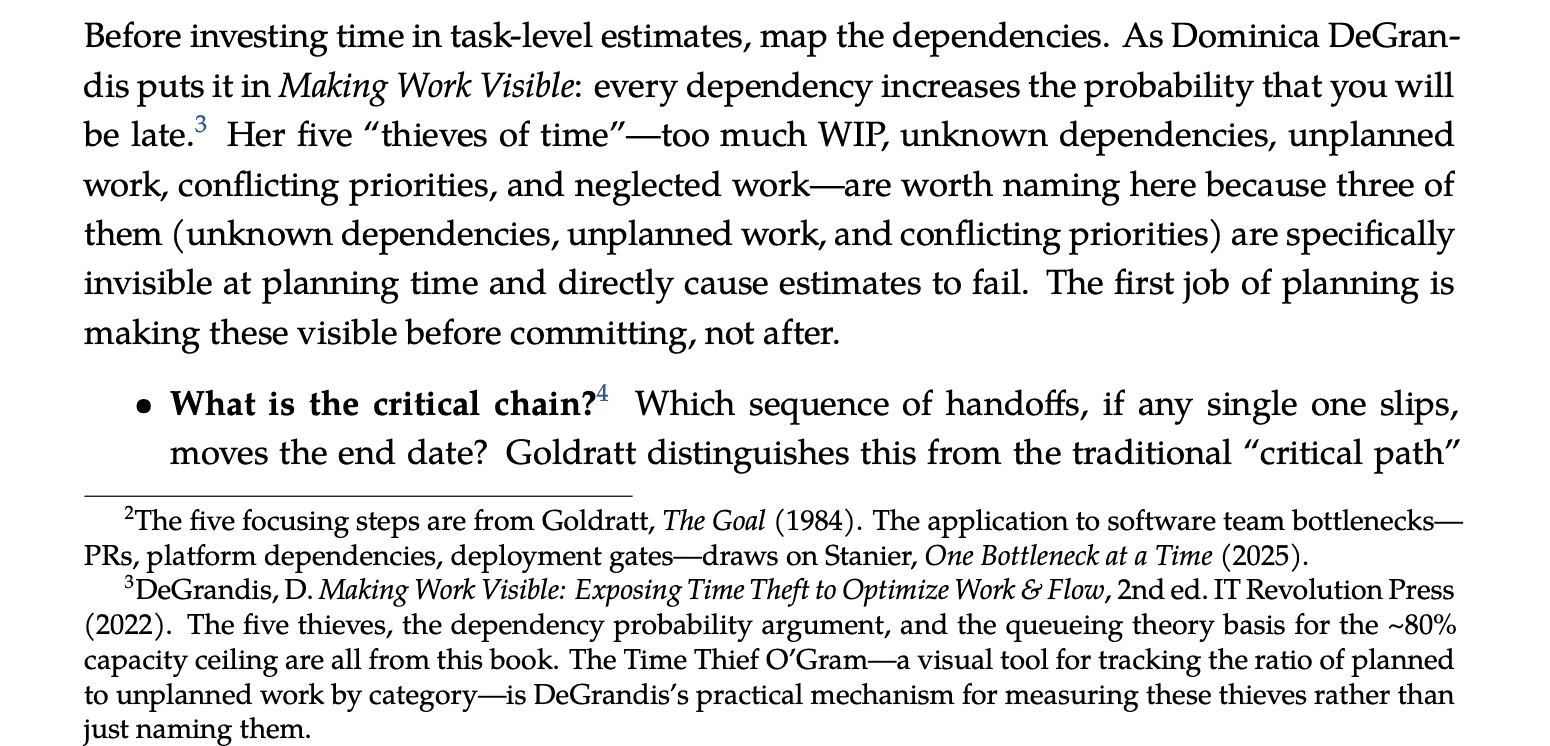
How to convert a Markdown file to a PDF with pleasant fonts and great footnotes using pandoc and TeX.
Table of Contents
Prerequisites
#
Install Pandoc and a minimal TeX Live distribution via Homebrew:
1
2
| brew install pandoc
brew install --cask mactex-no-gui
|
After installing MacTeX, restart your terminal or run:
1
| eval "$(/usr/libexec/path_helper)"
|
Verify everything is in place:
1
2
3
| pandoc --version
xelatex --version
fc-list | grep "TeX Gyre" # should show Pagella, Heros, Cursor
|
Render command
#
Run this from the directory containing the markdown file:
 1
 2
 3
 4
 5
 6
 7
 8
 9
10
11
12
13
| pandoc estimation-decision-support.md \
-o estimation-decision-support.pdf \
--pdf-engine=xelatex \
-V mainfont="TeX Gyre Pagella" \
-V sansfont="TeX Gyre Heros" \
-V monofont="TeX Gyre Cursor" \
-V fontsize=11pt \
-V geometry:"top=1.25in, bottom=1.25in, left=1.25in, right=1.25in" \
-V linestretch=1.15 \
-V colorlinks=true \
-V urlcolor="[rgb]{0.13,0.33,0.60}" \
-V linkcolor="[rgb]{0.13,0.33,0.60}" \
-V "header-includes=\usepackage{titlesec} \titleformat{\section}{\large\bfseries\sffamily}{}{0em}{} \titleformat{\subsection}{\normalsize\bfseries\sffamily}{}{0em}{} \titleformat{\subsubsection}{\normalsize\itshape\sffamily}{}{0em}{}"
|
What each flag does
#
| Flag | Effect |
|---|
--pdf-engine=xelatex | Uses XeLaTeX, which supports OpenType fonts |
mainfont | TeX Gyre Pagella — a Palatino clone for body text |
sansfont | TeX Gyre Heros — a Helvetica clone for headings |
monofont | TeX Gyre Cursor — a Courier clone for code |
fontsize=11pt | Body text size |
geometry | 1.25" margins on all sides |
linestretch=1.15 | Slightly relaxed line spacing |
colorlinks | Hyperlinks rendered in color rather than boxed |
urlcolor / linkcolor | Muted navy blue for all links |
header-includes | Reformats section headings to use the sans-serif font |
Notes
#
- The
[^footnote] syntax in the markdown renders as proper page-level footnotes, not endnotes. - MacTeX ships with all TeX Gyre fonts, so no separate font installation is needed.
- First run may be slow (~30s) as XeLaTeX builds its font cache. Subsequent runs are faster.
- If you get a “font not found” error, try running
sudo fc-cache -fv to rebuild the font cache.
See Also
See what others are reading →
View page source